
How to Remove Google Reviews
You cannot delete a Google review that someone else left on your business. That is the straightforward answer to the most common question about Google review management
The Business Owner's Complete Guide
You cannot delete a Google review that someone else left on your business. That is the straightforward answer to the most common question about Google review management.
Google gives control of a review to the person who wrote it, not to the business it describes.
What you can do as a business owner is flag reviews that violate Google’s content policies for potential removal, respond to reviews in a way that protects your reputation regardless of whether they are removed, contact the reviewer directly to seek resolution, and in specific circumstances pursue formal legal removal through Google’s content removal process.
This guide covers all four approaches clearly: what each one involves, when it applies, what the realistic outcome is, and how to execute it correctly.
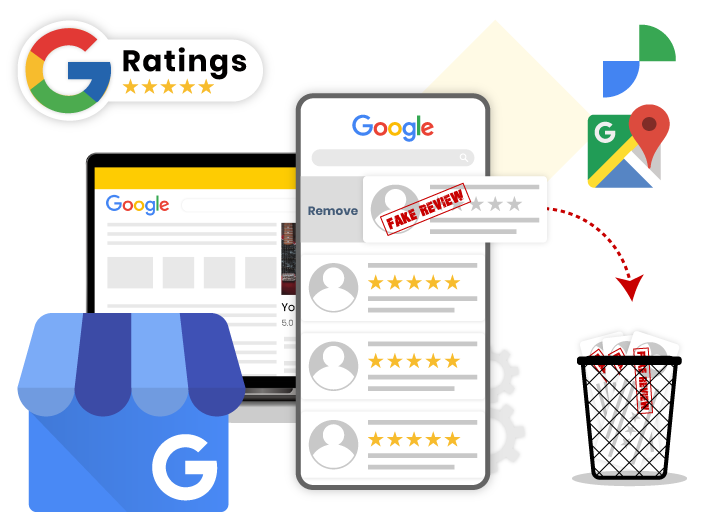
Google permits business owners to flag reviews for removal when those reviews violate its content policies.
Flagging a review does not remove it automatically. It sends a report to Google’s review team, who evaluate the review against the policy and decide whether to remove it.
Google does not remove negative reviews simply because a business owner disagrees with them or finds them unfair. The review must specifically violate one of the defined policy categories.
Google’s review content policy: what qualifies for removal
Google’s review content policies define the types of content that are eligible for removal when flagged.
The most commonly applicable categories:
- Spam and fake content: reviews that are not based on a genuine customer experience. This includes reviews posted by competitors, friends, or employees, and reviews that were purchased or incentivised.
- Conflict of interest: reviews posted by current or former employees, the business owner themselves, or anyone with a financial stake in the business.
- Off-topic content: reviews that do not describe an actual experience with the business. Reviews about a different business, reviews that are clearly about a personal dispute unrelated to the service, or reviews that contain only general political or social commentary.
- Restricted content: reviews that contain personal information such as names, addresses, or phone numbers of individuals who did not consent to having that information published.
- Illegal content: reviews containing content that violates applicable laws, including defamatory statements, content that constitutes harassment, or content that reveals protected personal information.
- Deceptive content: reviews that misrepresent the reviewer’s identity or fabricate an experience that did not occur.
- Obscene or offensive language: reviews containing profanity, hateful language, or content that would be considered highly offensive.
A negative review from a real customer describing a genuinely poor experience does not violate any of these policies and will not be removed, regardless of how many times it is flagged.
This is by design: Google’s review system is intended to give customers an honest signal about businesses, and a policy that removed reviews at the request of business owners would make the entire review ecosystem unreliable.
Monitor New Reviews the Moment They Land
GMB Crush alerts you when any new review appears on your profile so you respond within hours, not days, and no policy-violating review sits unaddressed and uncontested on your listing.
Flagging a review for policy violation is the correct first step when a review meets one of the violation categories described above.
The process is available through Google Maps and through your GBP management dashboard.
How to flag a review via Google Maps
- Open maps.google.com or the Google Maps app.
- Search your business name and open your profile.
- Navigate to the Reviews section.
- Find the review you want to flag.
- Click or tap the three dots (more options) next to the review.
- Select ‘Report review’ or ‘Flag as inappropriate.’
- Select the specific policy violation that applies from the options presented.
- Submit the report.
How to flag via your GBP dashboard
- Go to business.google.com and select your listing.
- Navigate to the Reviews section in the left menu.
- Find the review and click the three dots next to it.
- Select ‘Flag as inappropriate’ and follow the prompts.
What happens after flagging
Google’s team reviews flagged content against its policies. If they determine the review violates policy, it will be removed. If they determine it does not, it will remain.
You will typically receive an email notifying you of the outcome. The review is not removed during the review process.
Flagging the same review multiple times does not increase the likelihood of removal and may mark subsequent flags as low-priority. Flag once, clearly, with the most specific applicable policy category selected.
If the review is not removed and you believe this is an error, the correct next step is to contact Google Business Profile support directly.
Escalating through GBP support
If a review that clearly violates policy is not removed after flagging, you can contact Google Business Profile support to escalate the case.
Go to support.google.com/business, navigate to the contact options, and describe the review and the specific policy violation it represents. Include the business name, the review text, and the date the review was posted.
Support cases with clear policy citations and specific evidence are resolved faster than vague complaints about negative reviews.
- Method 2: Respond Professionally
This is the method that works regardless of whether the review gets removed, and it is therefore the most important one in your practical toolkit.
A well-written professional response to a negative review protects your reputation, demonstrates your commitment to customer experience, and gives prospective customers who read your profile a more complete picture than the negative review alone provides.
Why your response matters as much as the review
Every person who reads a negative review on your profile also reads your response. The response is your opportunity to address the concern, provide context, and demonstrate publicly how your business handles problems.
A professional, calm response to a negative review often does more to build prospective customer trust than the negative review does to damage it, because it shows that your business takes feedback seriously and responds with integrity.
A defensive, dismissive, or aggressive response to a negative review does the opposite. It confirms whatever concern the reviewer expressed, and it signals to prospective customers reading the exchange that your business is difficult to deal with when things go wrong. How you respond is often more revealing than the review itself.
The framework for a professional response
A response that handles a negative review well covers four elements: acknowledging the concern without making admissions about specific facts that are disputed, affirming your business’s commitment to the values the review mentions (service quality, responsiveness, accuracy), inviting the reviewer to contact you directly to resolve the situation, and keeping the response brief, professional, and non-defensive.
Avoid confirming or denying specific details about a customer’s interaction in the public response, particularly for regulated professions such as healthcare and legal where client confidentiality applies.
Acknowledge the concern, state your standard of care or service, and invite direct contact. Brief, professional, and consistent on every negative review.
Why consistent responses protect your overall rating
A profile where every negative review has a prompt, professional response reads very differently to a prospective customer than a profile with unanswered negative reviews.
The former suggests a business that is engaged, accountable, and in control of its reputation.
The latter suggests a business that either does not know about the reviews or does not care.
Respond to every review, positive and negative, within 24 hours.
Your Competitors Are Already Using GMB Crush
GBP audits, geo-grid ranking maps, competitor analysis, review monitoring, and AI Overview insights. All in one platform. Start your 14-day trial today.
If a negative review describes a specific problem with a real customer experience, the most effective approach for potentially resolving it is to contact the reviewer directly, outside of the public response, and address the issue genuinely.
A customer who has a problem resolved to their satisfaction will often update or remove their review voluntarily.
How to approach direct contact
The public response is the place to invite direct contact. Write a professional response acknowledging the concern and asking the reviewer to contact you directly by phone or email to discuss the situation.
Provide your direct contact information in the response. Do not ask them to remove or change the review in the public response this is perceived as pressure and often has the opposite effect.
When the reviewer contacts you, focus entirely on resolving the problem. If you are successful in resolving it, you can at the end of the conversation, after the resolution has been completed and acknowledged, mention that if they feel the situation has been resolved satisfactorily, you would welcome them updating their review to reflect that.
Do not make the resolution contingent on the review update. Resolve the problem because it is the right thing to do. The review update, if it happens, is a consequence of genuine resolution, not a transaction.
What you cannot do
You cannot offer discounts, refunds, or any other form of compensation specifically in exchange for the removal or modification of a review.
This is review gating explicitly prohibited under Google’s review policies. If you offer a refund or resolution to a customer, do so because it resolves a genuine service issue, not as a mechanism to influence the review.
The distinction matters both ethically and under Google’s policy.
- Method 4: Legal Removal Request
In specific circumstances where a review contains content that is legally actionable defamatory statements, content that constitutes harassment, content revealing protected personal information, or content that is otherwise illegal in the applicable jurisdiction you can request removal through Google’s legal content removal process.
When legal removal applies
Legal removal is a last-resort option for content that is genuinely illegal, not simply unfair or negative.
A review that says your service was terrible and would not recommend it is negative but not illegal.
A review that makes specific false factual claims about criminal conduct, that reveals private medical or financial information about you or your employees, or that constitutes targeted harassment may cross into legally actionable territory.
The threshold for legal removal is significantly higher than for policy violation flagging.
Before pursuing this route, consider whether the review’s harm is substantial enough to justify the process and whether a professional response and ongoing review acquisition would be a more effective path to minimising the review’s impact on your profile.
How to submit a legal removal request
- Go to support.google.com and search for ‘Google Legal Removal Requests’ or navigate directly to the Legal Help section.
- Select ‘Google Maps’ or ‘Google Search’ as the product depending on where the content appears.
- Choose ‘Content that violates local laws’ or the relevant legal category for your situation.
- Provide the URL of the review, a description of the legal basis for the removal request, and any supporting documentation.
- Submit the request.
Google notes that it may share removal request information with the Lumen project, which maintains a public database of takedown notices, and may notify the original poster of the request.
The legal removal process is therefore not confidential, and pursuing it against a borderline case may generate more attention than the original review. Seek legal counsel before using this process if you are unsure whether the content meets the legal threshold in your jurisdiction.
Recommended Reading
How customers can edit or delete reviews they wrote: the consumer-side guide
See How Your Review Profile Compares to Competitors
GMB Crush’s competitor audit shows your review count and velocity against the businesses outranking you so you know the gap you are building toward.
The most effective long-term approach to negative review management is not focused on removal. It is focused on building a review profile so strong that individual negative reviews are contextualised within a large volume of positive, specific, recent feedback.
A business with 200 reviews averaging 4.7 stars handles one 1-star review very differently to a business with 20 reviews averaging 3.9. In the first case, the negative review is a data point within a clear pattern. In the second, it is a significant proportion of the entire review record.
Review velocity as a reputation defence
Consistent review acquisition four to six new reviews per month through a direct, personal ask from a team member immediately after a positive customer interaction builds the review profile depth that makes individual negative reviews progressively less impactful over time.
The review that devastates a 20-review profile barely registers on a 200-review profile.
This is the most reliable and most sustainable approach to review reputation management.
The removal methods above address specific policy-violating content.
Consistent review acquisition addresses the underlying profile vulnerability that makes individual negative reviews disproportionately damaging.
Monitoring so nothing goes unaddressed
Reviews that sit without a response for days or weeks signal an unmanaged profile.
GMB Crush’s review monitoring sends immediate alerts when any new review lands on your tracked profiles, making it straightforward to respond within the 24-hour window that maximises both the customer experience signal and the Prominence signal that consistent review responses contribute to your ranking.
The key factor is this: the businesses with the strongest review profiles are not the ones who most aggressively pursue negative review removal. They are the ones who respond professionally to every review, acquire new positive reviews consistently, and treat review management as an ongoing operational function rather than a crisis response. A negative review on a thin profile is a crisis. A negative review on a strong profile is a data point.
- GMB Crush Takeaways
You cannot delete reviews someone else wrote on your business. You can flag policy violations, respond professionally, seek direct resolution, and pursue legal removal when warranted.
Here is the practical sequence:
- Flag reviews that violate Google’s content policies: spam, fake reviews, conflict of interest, off-topic content, illegal content, or offensive language. Flag once with the most specific applicable policy category. Escalate to GBP support if the review is clearly violating policy but not removed after flagging.
- Respond professionally to every negative review within 24 hours, regardless of whether it is being flagged for removal: your response is visible to every prospective customer who reads the review. Acknowledge the concern, invite direct contact, keep it brief and non-defensive.
- Contact reviewers directly after responding publicly: focus on resolving the problem. If the problem is genuinely resolved, you can mention at the end of that conversation that you would welcome a review update if they feel the situation has been addressed. Never make a refund or resolution contingent on a review change.
- Use legal removal only for content that is genuinely legally actionable: defamatory, harassing, or revealing of protected private information. The threshold is high and the process is not confidential.
- Build review velocity as your primary reputation defence: four to six new reviews per month through consistent personal requests. A strong, current review profile makes individual negative reviews far less impactful than a thin, static one.
Most business owners who are frustrated by a negative review are actually experiencing a review profile problem more than a single review problem.
The review is visible because there are not enough other reviews to contextualise it. The answer to that is not to spend energy trying to remove the negative review.
The answer is to build the positive review volume that makes it a minor detail in a strong overall picture.
One Platform. Every Local Ranking Signal.
Audit, optimise, track, and outrank. GMB Crush gives businesses and agencies the tools to build and protect a review profile that drives Map Pack rankings. 14-day trial, no credit card required.